Lost Files on iPhone!
Have your photos or other files on your iPhone gotten lost somehow? What should you do? Can you recover them on this iPhone? Frustrating, right? You’re not alone. This is exactly where a reliable iPhone data recovery solution becomes your best friend.

An iPhone device stores a variety of files, including photos, videos, documents, and app data. However, lost files on an iPhone can’t be stood up, whether it’s a software glitch, an accidental delete, or an update gone wrong; getting those files back is crucial. That’s why we’re diving deep into how you can rescue your precious information without losing your mind.
Why Do You Need to Recover Files from an iPhone?
Honestly, the reasons pile up faster than you’d expect. Let’s break down the usual suspects.
- Accidental deletion is the biggest culprit. We’ve all been there, deleting something important files before you know it. Then you can’t find or retrieve them.
- Software updates can cause problems. Have you ever updated to the latest iOS and then watched your phone act like a brick? It happens more often than Apple would like to admit.
- Physical damage or a water spill can make your device useless, leaving your data trapped inside.
- Jailbreaking your phone might seem cool for customization, but it often leads to system crashes and data loss.
- A virus or a corrupted file just decides to wreak havoc on your storage.
In all these scenarios, having access to a trustworthy iPhone data recovery service isn’t just a luxury—it’s a necessity.
Best iPhone Data Recovery Service – MyRecover for iOS
There are so many iPhone data recovery services in the market, and we need to verify them. Fortunately, here comes the best iPhone data recovery software, MyRecover for iOS.
- This tool is a game-changer when it comes to iPhone data recovery and getting back all those lost contacts, photos, messages, call history, notes, calendars, Safari bookmarks, voice memos, videos, WeChat data, etc.
- It’s designed to scan deep into your iOS device or iTunes backups to fish out what you thought was gone forever.
- It supports all iPhone, iPad, and iPod touch models, including iPhone 17/17 Pro/17 Pro Max/16/16 Pro Max/16 Pro/16 Plus/15/15 Pro/15 Pro Max/15 Plus/14/14 Pro/14 Pro Max/14 Plus/13/13 mini/13 Pro Max/12/11/X/XR/SE/8p/8/7p/7/6s/6/5s, iPad 9/mini 6/8/Air 4/Pro/7/6/5/mini 5/mini 4/4/3/Air 3/Air 2/Air, and iPod touch 7/6/5/4/3/2/1.
- It also offers a preview function, which allows you to see exactly which files are salvageable before committing to saving them.
So, how to use MyRecover for iOS to recover data from an iPhone? You can learn the detailed steps for iPhone photo recovery in the next part.
4 Steps to Recover Photos from iPhone Using MyRecover
Now, we will show you how to recover photos from your iPhone with MyRecover for iOS. Follow these steps carefully, and it’s easy to recover iPhone photos. This iPhone data recovery process works for all iOS models.
1. Download and Install MyRecover for iOS: Download MyRecover and install it. Run it on your Windows PC.
2. Connect Your iPhone to the Computer: Use a reliable USB cable to connect your iPhone. Trust the computer on your iPhone screen if prompted.
3. Launch MyRecover for iOS and Start Scanning: Open the software and click Scan Now to begin scanning your device for lost data.
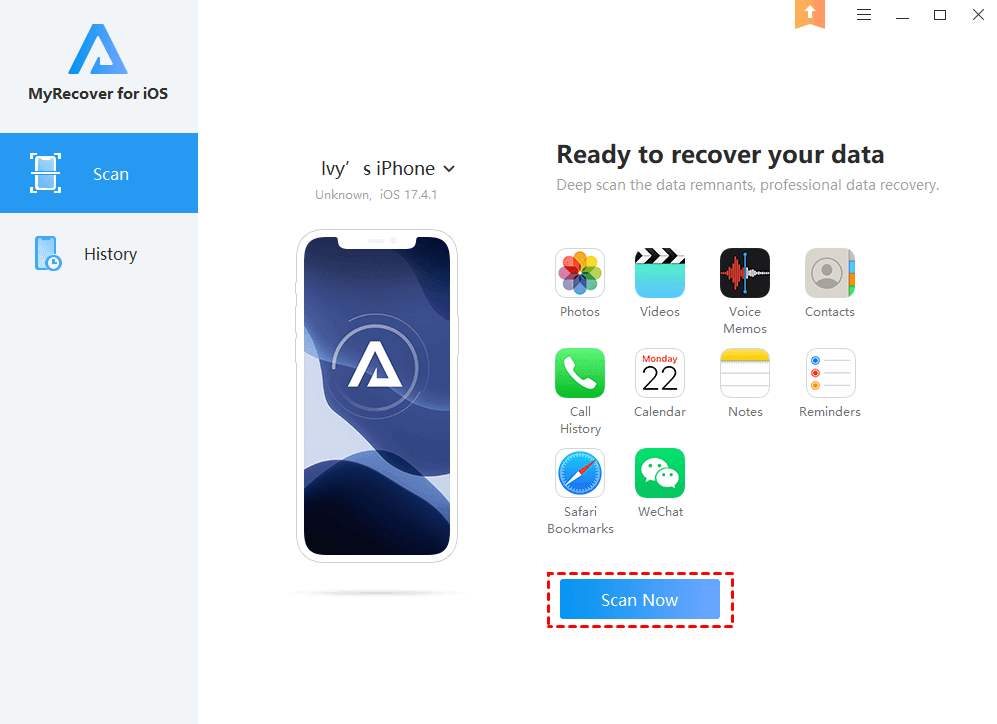
4. Preview and Choose Lost iPhone Data to Recover: Preview and select the data you wish to restore, then click Recover in the top right corner to save it to your computer.
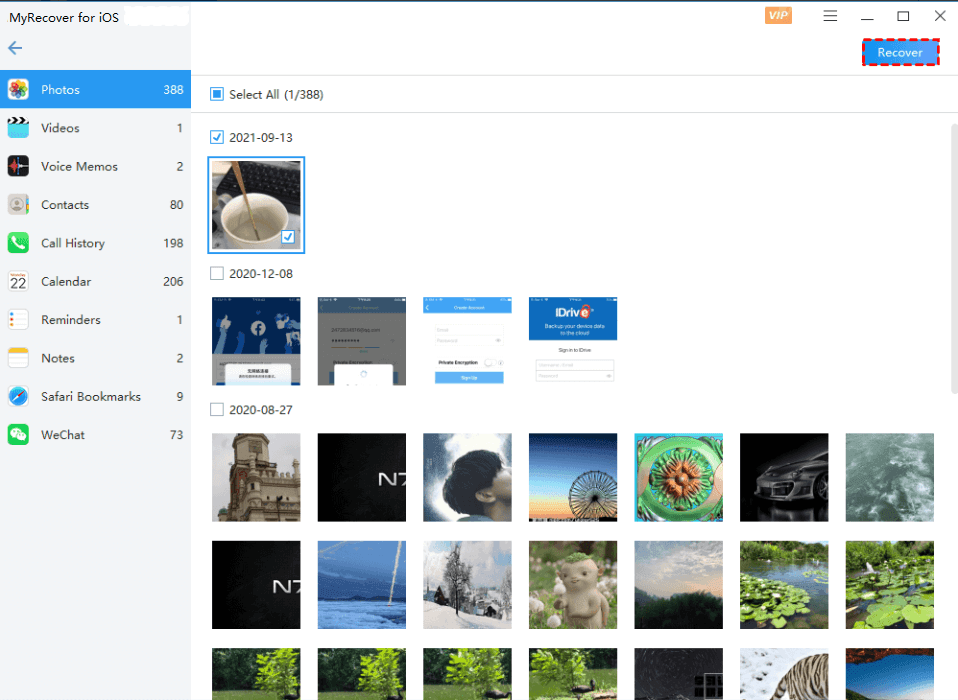
Tip: Once the scan finishes, you’ll see a neat list of all recoverable items. Use the preview pane to check the quality of your photos or the content of your documents.
That’s it! You’ve just mastered how to perform iPhone photo recovery like a pro.
Losing files on your iPhone is a pain, but it doesn’t have to be a disaster. With the right iPhone/Windows data recovery software like MyRecover, you’re never truly out of options.
The End
Don’t let an unintentional tap or a crash ruin your day. It’s easier than ever to get dependable iPhone data recovery. Knowing how to restore iPhone data gives you peace of mind, whether you’re a busy professional or just someone who enjoys documenting life’s moments. You’ll thank yourself later, so go ahead and make a backup of your phone.