World, clean and professional images are no longer optional; they are essential. Whether you are running an online store, managing a brand’s social media presence, or preparing marketing materials, the ability to erase background freely has become a basic yet critical requirement.
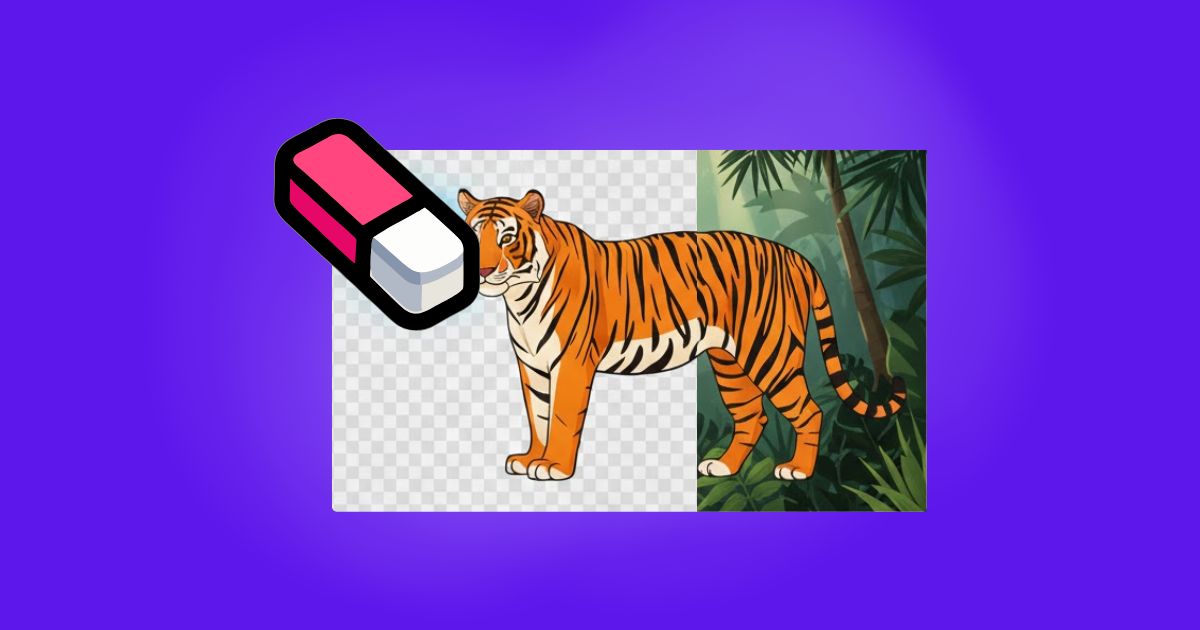
However, not all background removal tools are created equal. Many “free” solutions come with hidden limitations, poor cutout quality, or workflows that slow you down. This is where UltraPic stands out, offering a practical balance between accessibility, efficiency, and professional-grade results.
Why is Free Background Removal So Crucial?
Backgrounds aren’t just fill colors—they often convey key messages, such as:
- Enhancing professionalism: Placing products against a pure white or transparent background is standard practice on e-commerce platforms like Amazon and Shopee.
- Enabling secondary creation: Only by erasing backgrounds can subjects, logos, and other elements seamlessly integrate into new posters, composite images, or short videos.
- Visual focus: Removing cluttered backgrounds instantly draws viewers’ attention to the main subject or object.
However, most tools marketed as “Free” often come with trade-offs: image compression, jagged edges, or hidden fees during export. UltraPic’s background eraser, however, allows anyone to erase backgrounds for free, exporting clean, high-quality images.
UltraPic: More than Just a Free Background Eraser
UltraPic is an online image processing tool developed using cutting-edge AI vision algorithms. It condenses complex image segmentation technology into a simple click action.
1. Perfect AI Recognition
Powered by the latest deep learning models, UltraPic accurately identifies hair strands, sheer fabrics, and edges under complex lighting. Pixel-level extraction completes in seconds.
2. Truly Free Background Removal
UltraPic’s core AI background removal feature has no usage limits, allowing you to remove backgrounds anytime, anywhere—completely free.
3. Easy Steps to Remove Backgrounds with Ultrapic
UltraPic makes it easy to erase the background for free and scale image production efficiently. No need to read thick manuals, just follow these three steps to complete your task:
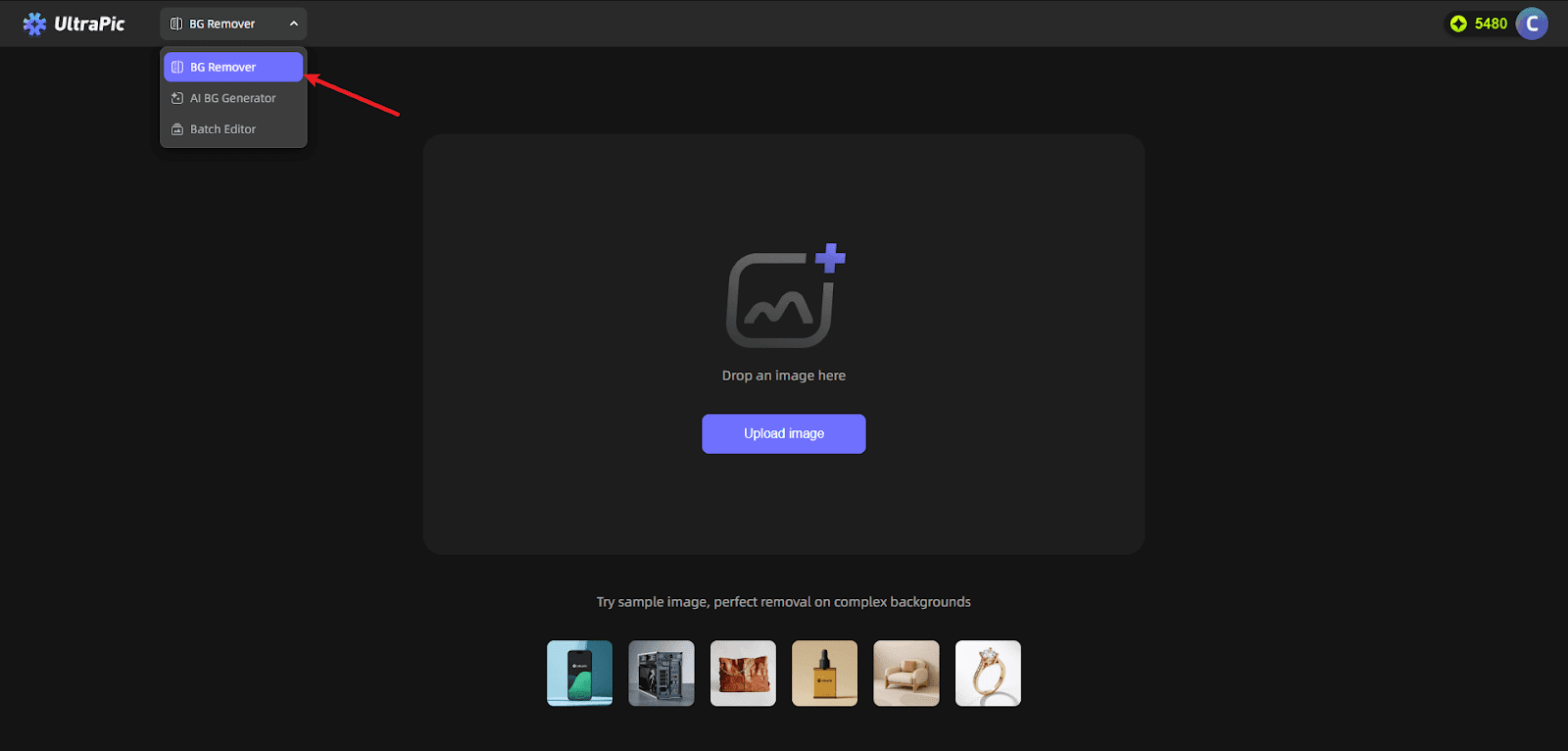
Step 1: Upload
Open the UltraPic BG Remover page. Drag your image directly into the upload box or click the button to select it from your local folder. Supports PNG, JPG, WebP, and other mainstream formats.
Step 2: Auto-Process
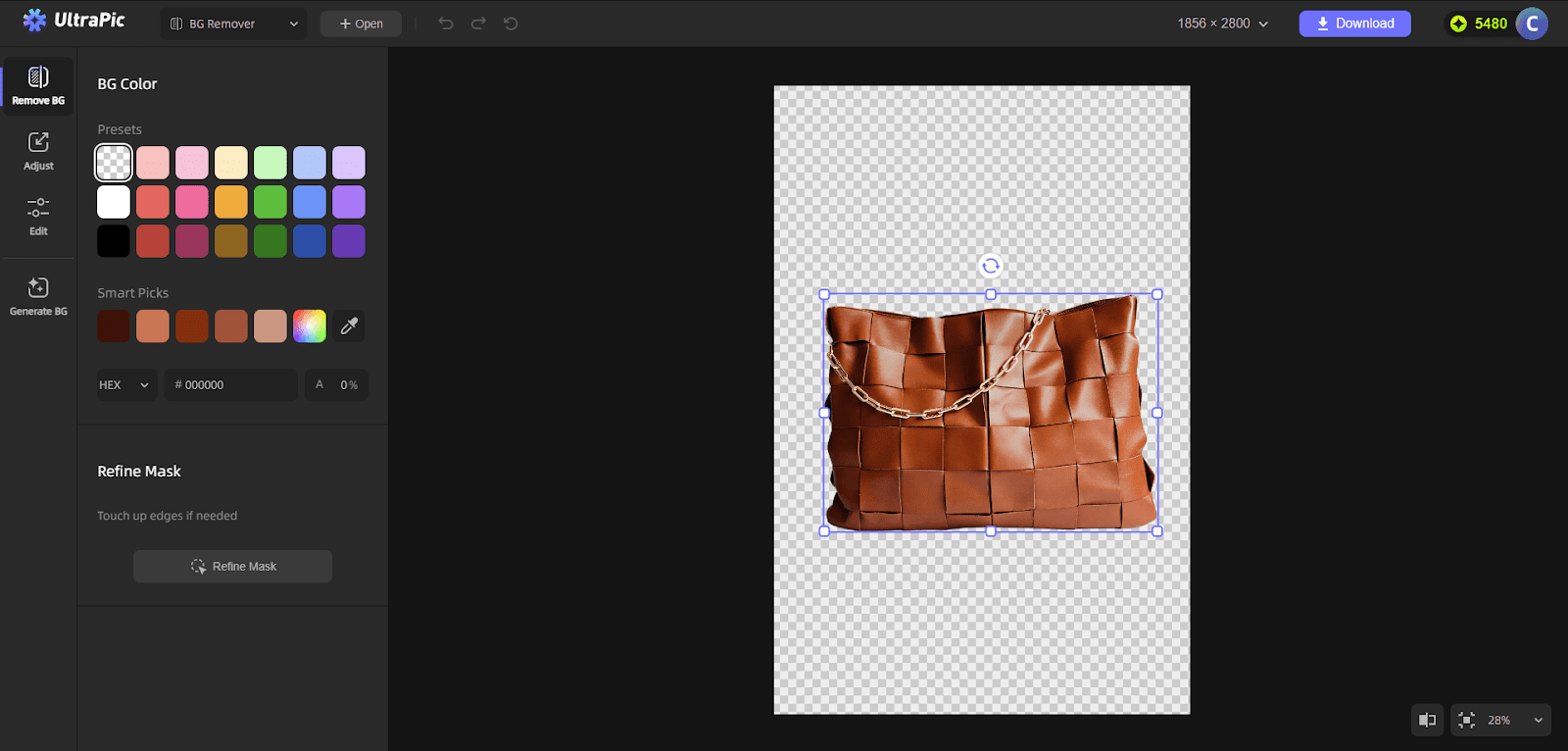
Once uploaded, AI instantly analyzes the image structure in the background. With stable internet, it takes just seconds for cluttered backgrounds to vanish, replaced by a standard transparent grid background.
Step 3: Refine & Download
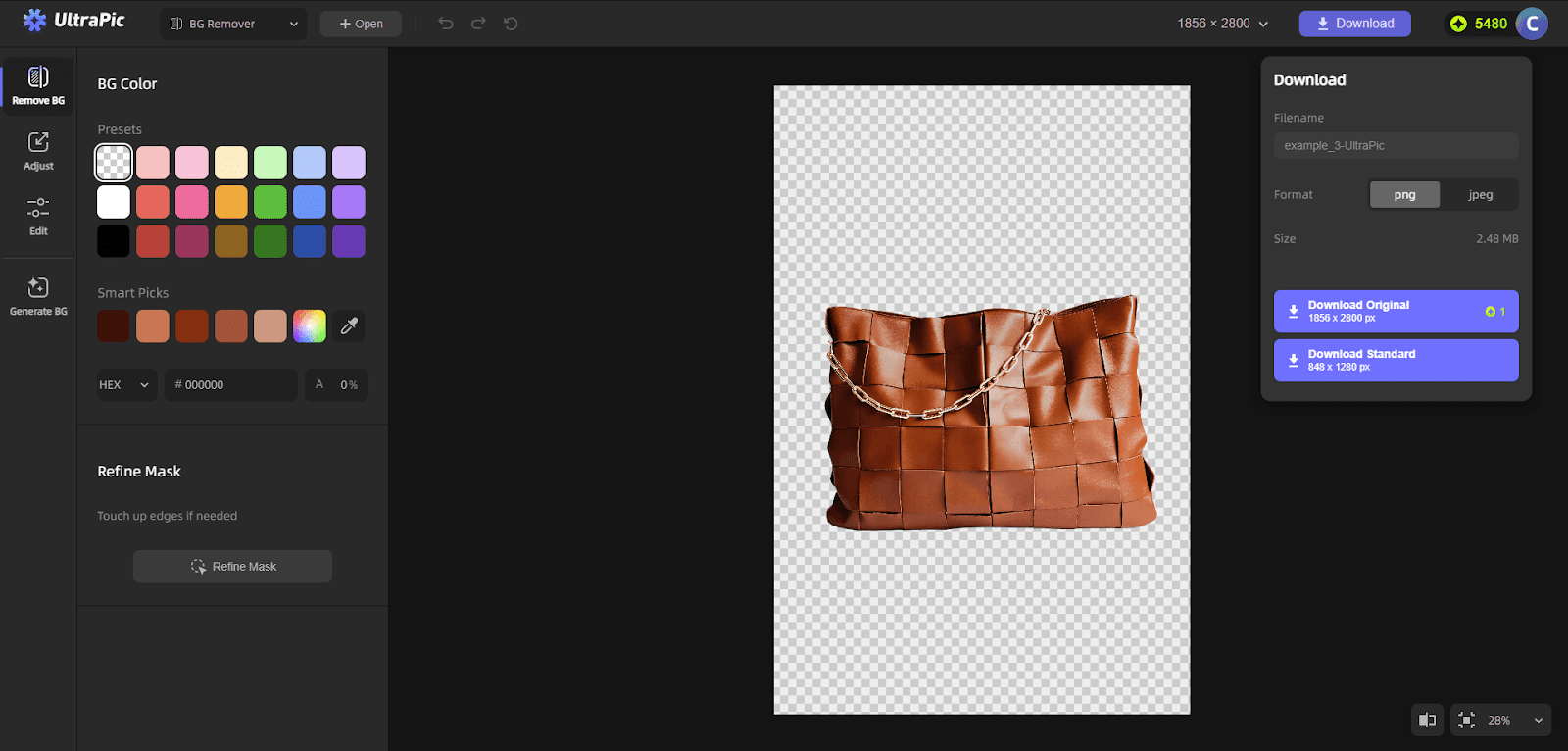
For extremely rare cases with complex edges, UltraPic offers a Refine Mask option. Manual adjustments are rarely needed. Once satisfied, click “Download” to save your flawless transparent background image to your computer.
Ultrapic’s Diverse Application Scenarios
UltraPic understands that users don’t just want a free tool—they want a dependable one. Beyond its core Background eraser feature, UltraPic solves more problems in real-world scenarios:
- Personal branding: Change the background color for your ID photos or create personalized social media avatars.
- E-commerce product page design: Batch process product images to unify visual styles and boost conversion rates.
- Graphic design resource library: Extract elements from lifestyle photos to serve as inspirational assets for poster designs.
- Social media cover creation: Quickly isolate video subjects and pair them with eye-catching title text to craft high-click-through-rate covers.
Why Choose UltraPic Background Eraser in 2026?
While many tools claim to erase backgrounds for free, users often encounter various issues. In this era of tool proliferation, stability, speed, and privacy security are our core competitive advantages.
- Privacy protection: UltraPic strictly adheres to data protection protocols. Uploaded images are processed in real-time in the cloud and never used for other commercial purposes, safeguarding your privacy.
- Cross-platform convenience: No downloads or installations required. Whether on Windows, Mac, or mobile browsers, UltraPic is your portable design studio wherever you have internet access.
- Continuous image evolution: UltraPic consistently introduces new features like image retouching, background generation, and batch processing, continually enhancing its image processing capabilities.
It bridges the gap between basic free tools and expensive professional software.
Conclusion
Image processing shouldn’t burden creators. Erase Background Free offers an efficient and cost-effective solution. UltraPic liberates designers from tedious, repetitive image masking tasks, turning ordinary people’s creative visions into reality.
If you’re still struggling with photos marred by messy backgrounds and tired of expensive, complex professional software, give UltraPic a try.